01
Everyone can verify
Every member can request a check, respond securely and warn the family.
 Family safetyIn private testing
A calm, private way to check whether an unexpected call, message or money request genuinely came from someone you trust.
For iOS and Android · English, Spanish, French and German
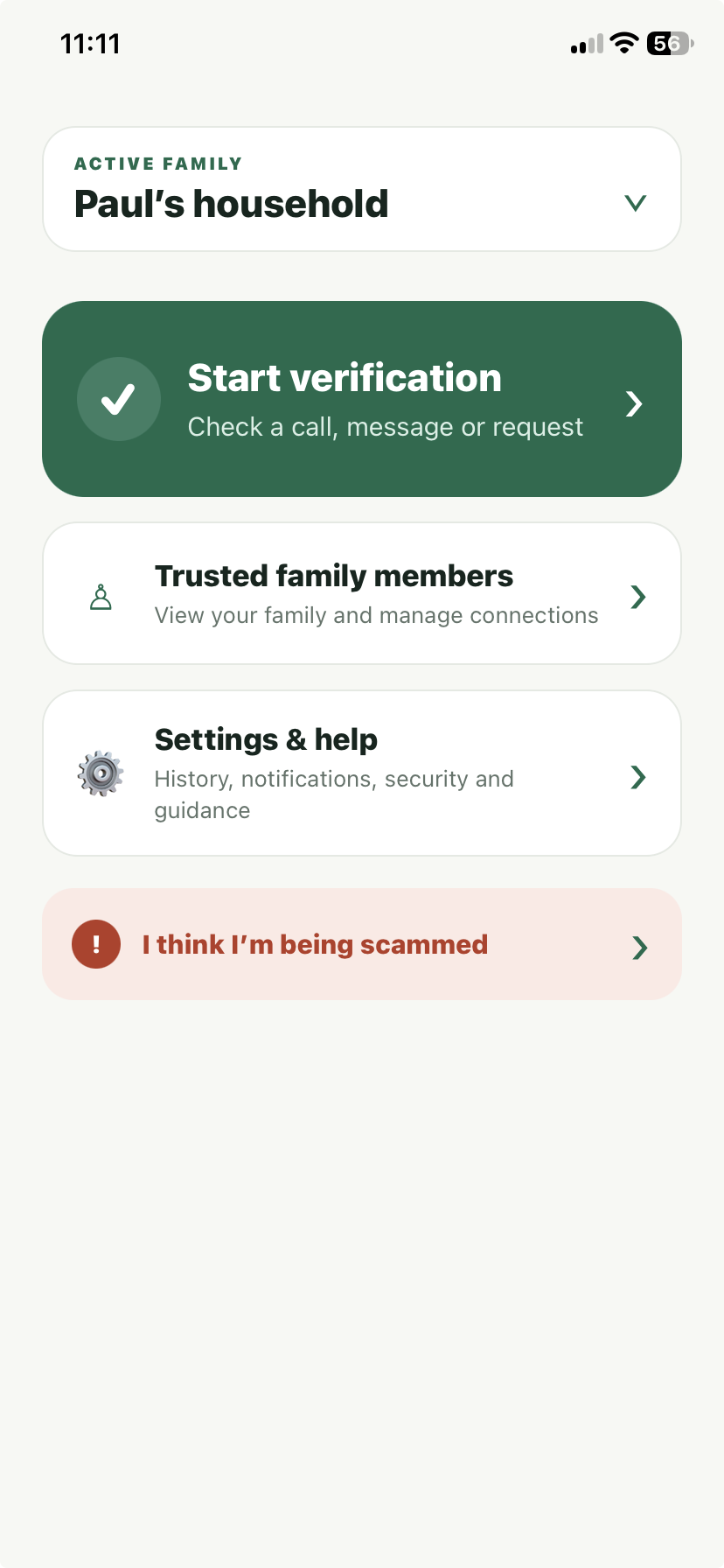
My mother received a WhatsApp message that appeared to be from my brother. The person claimed there was an emergency and urgently asked her for £2,000.
It was a scammer pretending to be him. My mother was unwell and, if she had managed to access her bank account, she would have sent the money.
Family Verify creates one valuable pause before somebody sends money, shares a password or reveals personal information: “Was this really you?”
No long forms or complicated security language when you are already under pressure.
Select the trusted family member whose call, message or request you want to verify.
They receive a clear question in their signed-in app and confirm whether the contact really came from them.
You receive immediate guidance and can warn the whole trusted family if somebody may be impersonating them.
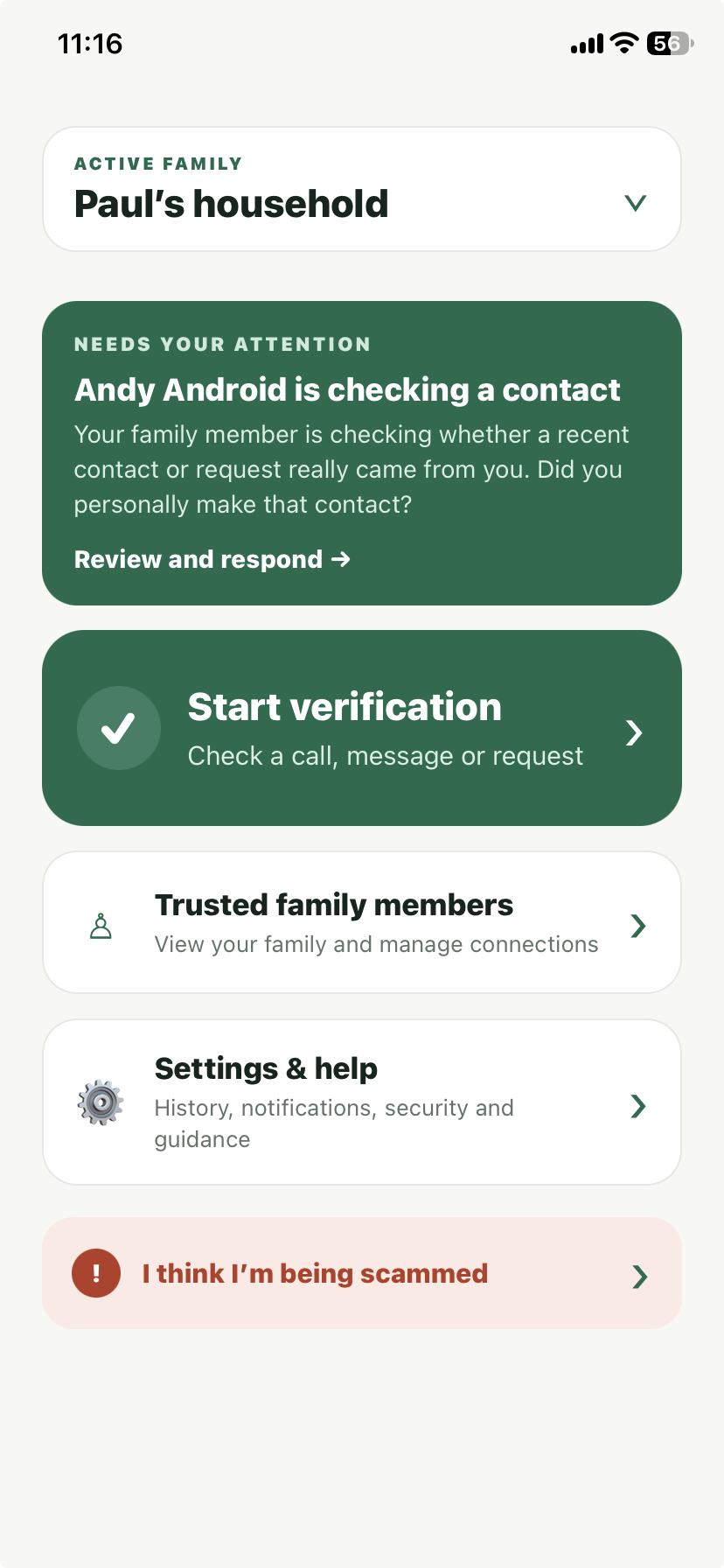
The family member can review the request without needing to interpret a long or complicated message.
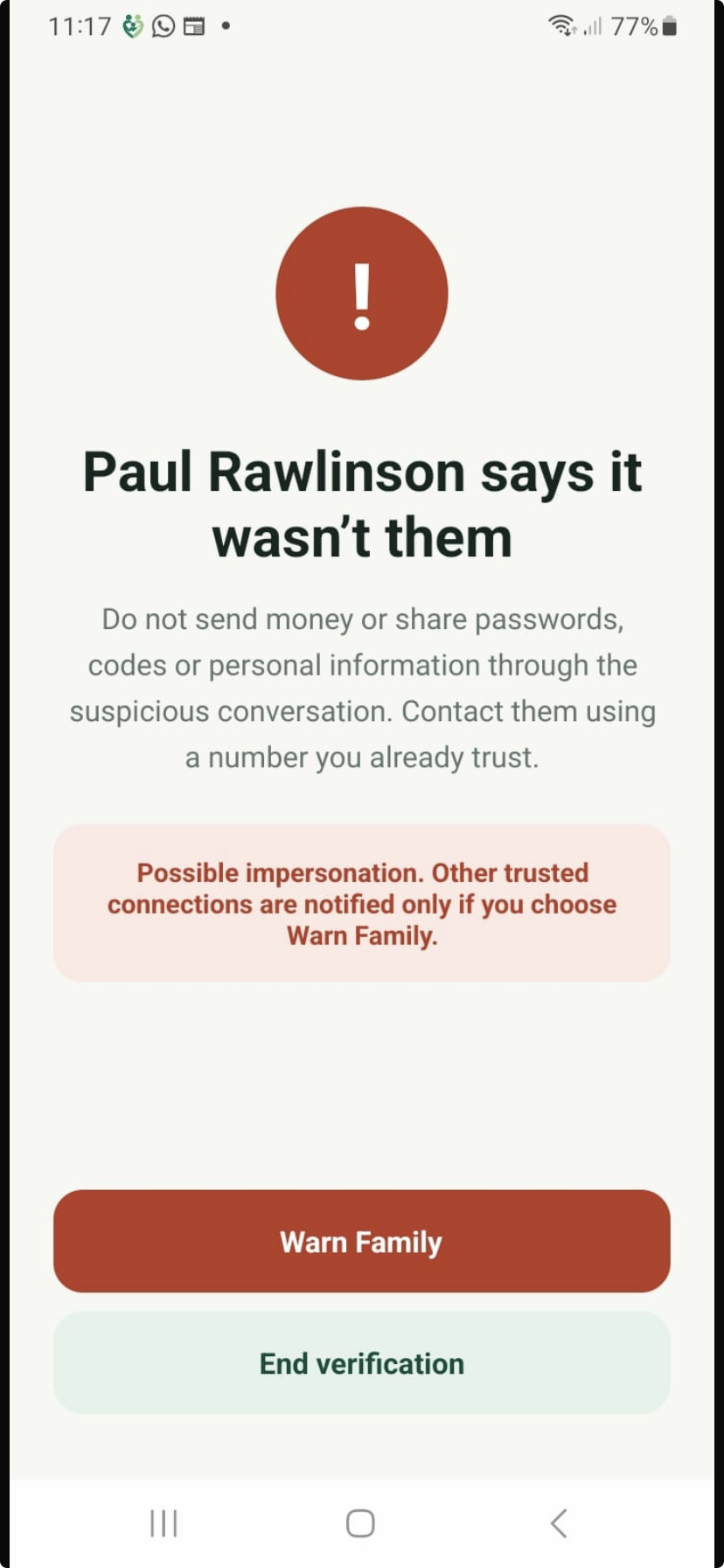
If it was not them, the app gives direct safety guidance and the option to alert other trusted connections.
Every member can request a check, respond securely and warn the family.
A group can include six people in total. Multi-family lets one subscription owner create up to three separate groups.
Secret words expire, private messages stay out of push notifications and checks remain inside your trusted family.
When somebody reports “That wasn’t me,” the app gives an immediate, unmistakable warning.
Keep different parts of family life separate—for example, a siblings group and a household group—while using the same signed-in account.
One subscription owner and up to five additional members: six people in total.
Create and pay for separate family groups under one subscription, with up to six people in each group.
An existing account can accept an invitation to another group and switch between its families in the app.
Family administration can be transferred, but store payment and renewal remain with the subscription owner.
Family Verify can help confirm access to a registered app, but it cannot prove that somebody is acting freely or that a payment is safe. For unusual financial requests, stop and use a number you already trust.
Ask about joining the iOS or Android test, or contact us with a question.